
How to Track and Print LESCO Demand Notice
Many LESCO customers want to know how they can get their Demand Notice. Have you applied for a new LESCO connection or a meter name change and are now having trouble tracking or printing your Demand Notice? If so, we can help you and tell you the easy way to track and print your Demand Notice.
You don’t need to worry, as here’s the complete process to track and print LESCO Demand Notice online. The process of tracking and printing a Demand Notice is quite simple. All you need to do is follow the step-by-step guide below and you can easily get your Demand Notice.
How to Track LESCO Demand Notice
You can track your Demand Notice online with the help of simple steps given below:
Step 1: First of all go to ENC website.
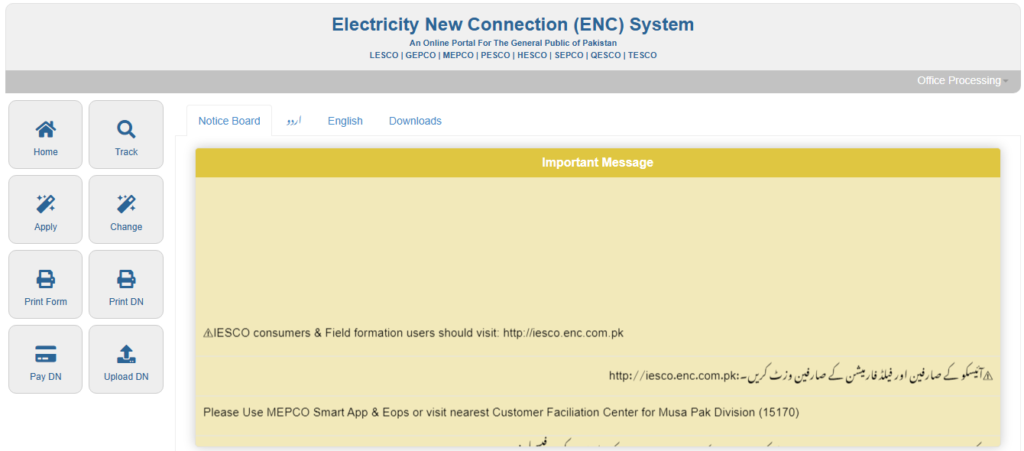
Step 2: Click on the “Track” button given at the top left corner of the website. This option is also shown with a red arrow in the image below.

Step 3: Now select Application Type according to your application. Options like New Connection or Change of Name/Tariff/Load will be available in this.
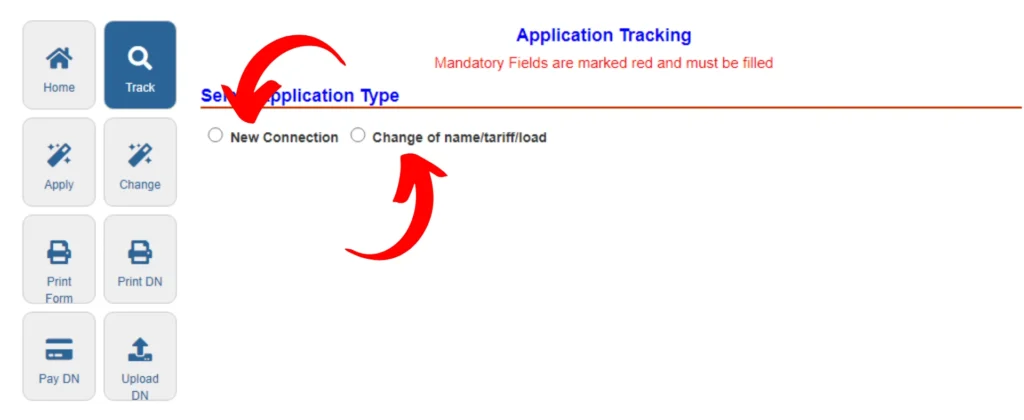
Step 4: Click on “Select Company” option and select LESCO from the list of companies.

Step 5: Now choose either Tracking ID or CNIC. If you choose CNIC option, enter your CNIC number without dash (-).
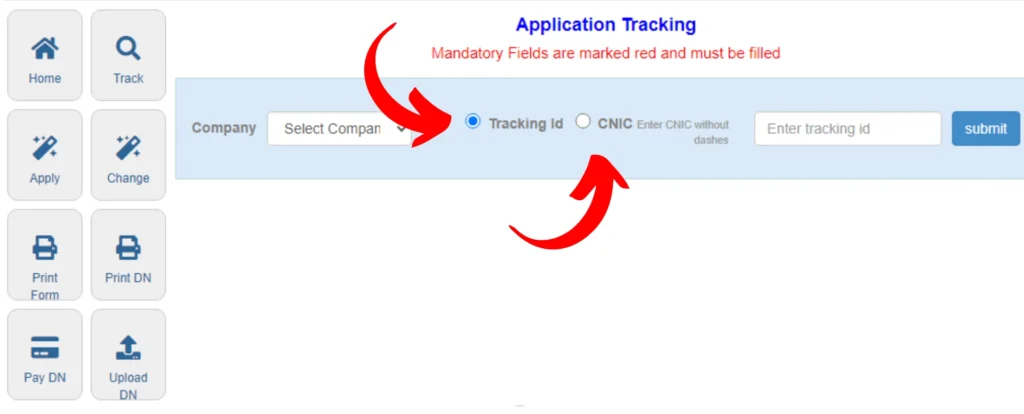
Step 6: Now click on “Submit” button. After this you can check whether your Demand Notice has been issued or not.
How to Print Demand Notice
After the demand notice is issued, you can also print it online. For this follow the steps given below:
Step 1: First of all visit ENC website and click on “Print DN” option.
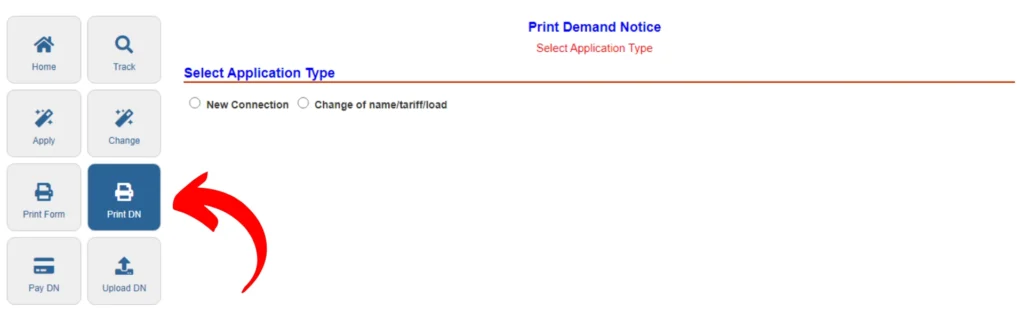
Step 2: Now select the Application Type as per your submitted application. Select New Connection for new electricity connection and the corresponding Change of Name/Tariff/Load option for Change of Name/Tariff/Load.

Step 3: Enter your Tracking ID or CNIC in the given input field and click on “Submit” button. Scroll down on the next page and click on “Print Demand Notice” button. After this you can print your Demand Notice.

Additionally, visit LESCO Bill Online to check your LESCO bill.
In this article, we’ve described the process for tracking and printing a Demand Notice online. If you have any questions or concerns about tracking or printing a Demand Notice feel free to ask your question in the comments section below.