
How to Pay LESCO Bill through Credit Card
Many LESCO customers are curious about paying their LESCO bill through credit card but don’t know the procedure of paying their bill with credit card. Do you want to pay your electricity bill with credit card but don’t know which mobile banking application to use for using credit card and want a quick guide?
Well don’t worry because the procedure through which you can pay LESCO bill through credit card is here for you. The procedure of paying electricity bill through credit card is very simply and doesn’t take too much time. All you need is to follow the step-by-step procedure that is described in this article to pay your LESCO electricity bill with credit card below.
Steps to Pay LESCO Bill through Credit Card
Several mobile banking applications allows you to pay LESCO electricity bills through the credit card. Following are 7 simple steps through which you can use ‘Bank Alfalah’ mobile banking application for paying LESCO bill with credit card.
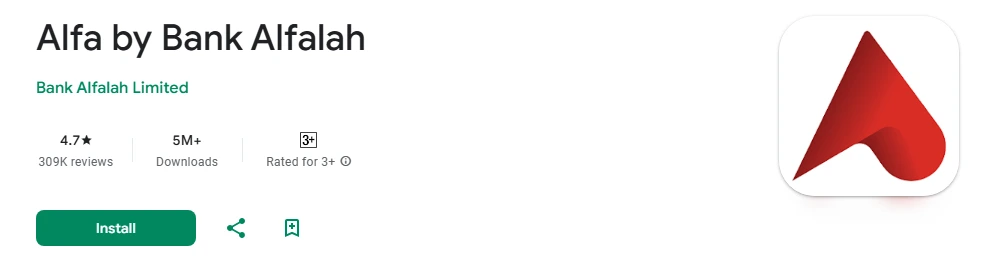
Step 1: First of all, install ‘Alfa by Bank Alfalah’ from the Google Play Store on your mobile phone.
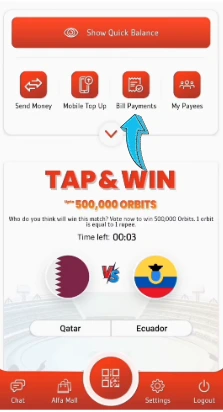
Step 2: Open Alfa by Bank Alfalah mobile banking application on your mobile phone and log in to your account. Then click ‘bill payments’ option that is present in middle of the app and then click on ‘electricity’ option.

Step 3: You have to select company that is supplying electricity to you in ‘Bill Payment’ section. Select LESCO by clicking on its logo, present next to the K-Electric in ‘Alfa by Bank Alfalah’ banking application

Step 4: You’ll be asked to enter your consumer number of your LESCO bill. Simply enter your 14-digit Reference number in consumer number input box and click next button.

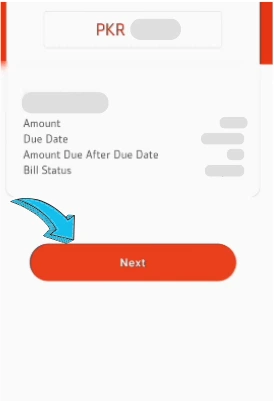
Step 5: After entering your consumer number in Alfa by Bank Alfalah application, your LESCO bill amount will be shown in PKR (Pakistani Rupees) at the top. After checking bill amount click the next button for moving to the next step of bill payment.
Step 6: Select the payment method with which you want to pay your electricity bill from provided dropdown list. Choose credit card as payment method for paying your LESCO Bill. Then click ‘Pay Now’ button that is showing at the bottom of the Alfa by Bank Alfalah application.

Step 7: As you’ll click ‘Pay Now’ button an email and SMS will be sent to your email address and mobile number containing your verification codes. Simply enter 5 digits codes that are received on your email and mobile number in input boxes that are specific for email and SMS. After entering OTAC (One-Time Authorization Code), click the submit button to pay your LESCO Bill through credit card.

That’s the straightforward way through which you can pay your LESCO electricity bill with credit card.
We’ve described the procedure of paying LESCO Bill through the credit card in this article. You can follow the step-by-step procedure and pay your LESCO electricity bill through credit card with ease. Still, If you’ve queries about paying LESCO Bill through the credit card, please leave a comment below.