
How to Pay LESCO Bill through MCB Live
Many people want to pay their LESCO electricity bill using the MCB Live mobile banking app, without leaving their homes. Have you not paid your LESCO Bill yet? Are you curious about paying your LESCO electricity bill through MCB Live but don’t know the procedure and are looking for a step-by-step guide?
Well, there is no need to worry because the procedure that will help you pay LESCO Bill through MCB Live is here. You can pay your LESCO bill online with the MCB Live mobile banking app without any hassle. Follow the steps for paying your LESCO bill using the MCB Live mobile banking app with screenshots below.
Steps to pay LESCO Bill through MCB Live
These are 9 easy steps through which you can pay LESCO bill through MCB Live.
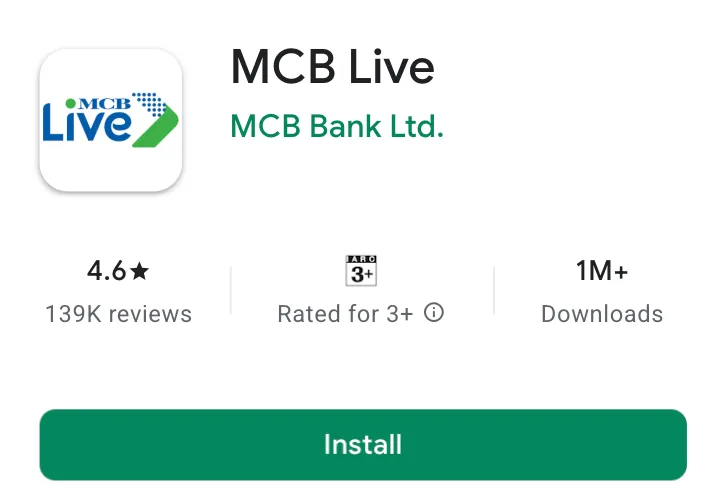
Step 1: First of all, Search ‘MCB Live’ on the Google Play Store and install it on your mobile phone.
Step 2: After that, Launch MCB Live on your mobile phone. Click the ‘Pay Bills’ button that is present next to the ‘Transfer Funds’ option in MCB Live.

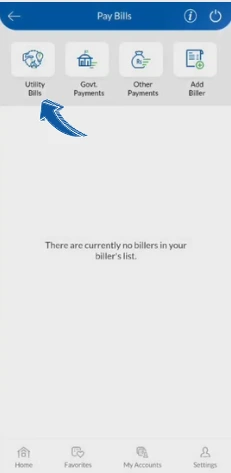
Step 3: Now, 4 options, including Utility Bills, Govt Payment, Other Payment and Add Biller, will be shown in the ‘Pay Bills’ section of MCB Live. Click the first ‘Utility Bills’ option to make your LESCO Bill Payment.
Step 4: You’ve to select the company of which electricity bill you’re paying. As you want to pay the LESCO bill using MCB Live, click on the ‘LESCO-Lahore Electric Supply Company’ icon.

Step 5: Enter the 14-digit Reference Number of your LESCO electricity bill in the ‘Reference #’ input box and then click the ‘Proceed’ button.

Step 6: As you click the ‘Proceed’ button after entering your Reference Number, Billing Month, Customer Name, Amount within Due Date, Amount after Due Date, Bill Due date, Bill Status, and the amount of your LESCO bill that you’ve to pay will be shown. Make sure you’re paying your own bill and click the ‘Pay Now’ button that is present at the bottom of the MCB Live mobile banking app.

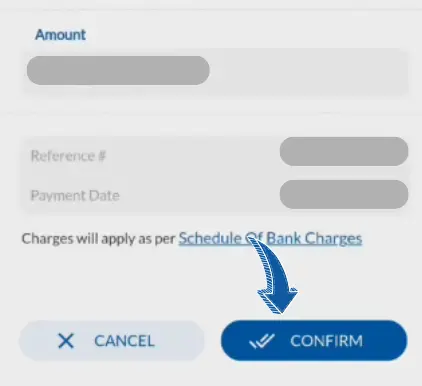
Step 7: You’ll see the amount of the bill that you’re paying, the reference number of the LESCO bill you’re making payment for, and at which the bill is being paid will be shown for your confirmation. Click on the ‘Confirm’ button in MCB Live to successfully pay your bill after carefully ensuring the information is correct.
Step 8: An OTP will be sent on your mobile number to ensure security of your MCB Live account. Check your mobile ‘messages’ app and enter the 6-digit OTP that is received on your mobile number in the ‘One Time Password’ input box.

Step 9: After entering the OTP, your LESCO bill will be paid using the MCB Live mobile banking app.

That’s the easy procedure through which you can pay your LESCO electricity bill from the comfort of your home using MCB Live.
In this article, we’ve described the procedure through which you can pay LESCO electricity bill using the MCB Live. Follow the procedure in this article and pay your LESCO electricity bill in a few seconds. Still, if you’re facing any issue while paying your LESCO electricity bill through the MCB Live mobile banking app, please feel free to leave a comment below.